I don't plan on making a complete tutorial/guide to origami design - there are already some great resources for this. In particular, I recommend Brandon Wong's YouTube Channel - he is a fellow MIT graduate and has tutorials for beginners up to advanced levels of origami design. Robert Lang's book, Origami Design Secrets, which I haven't actually read, is good by all accounts, if you prefer reading. There's also Arijan Arashi's website, which has great step by step introductions to many of the important ideas in origami design.
Instead, the goal here will be to explain the design process for simpler BP models - in particular, a common subject for origami, a beetle species. I recently designed a model representing a white-spotted sawyer beetle, so that's our subject. The goal is to explain this in a way such that people who have never folded an origami model before might understand - which will take some background.
Before I start on the tutorial, I'll point out that the images I'm using for this article are mostly screenshots of Box Pleating Studio and Oriedita.
The easiest way to teach origami design is probably through building blocks of knowledge. I'll only use a couple of these blocks for this article, and the first is the concept of trees.
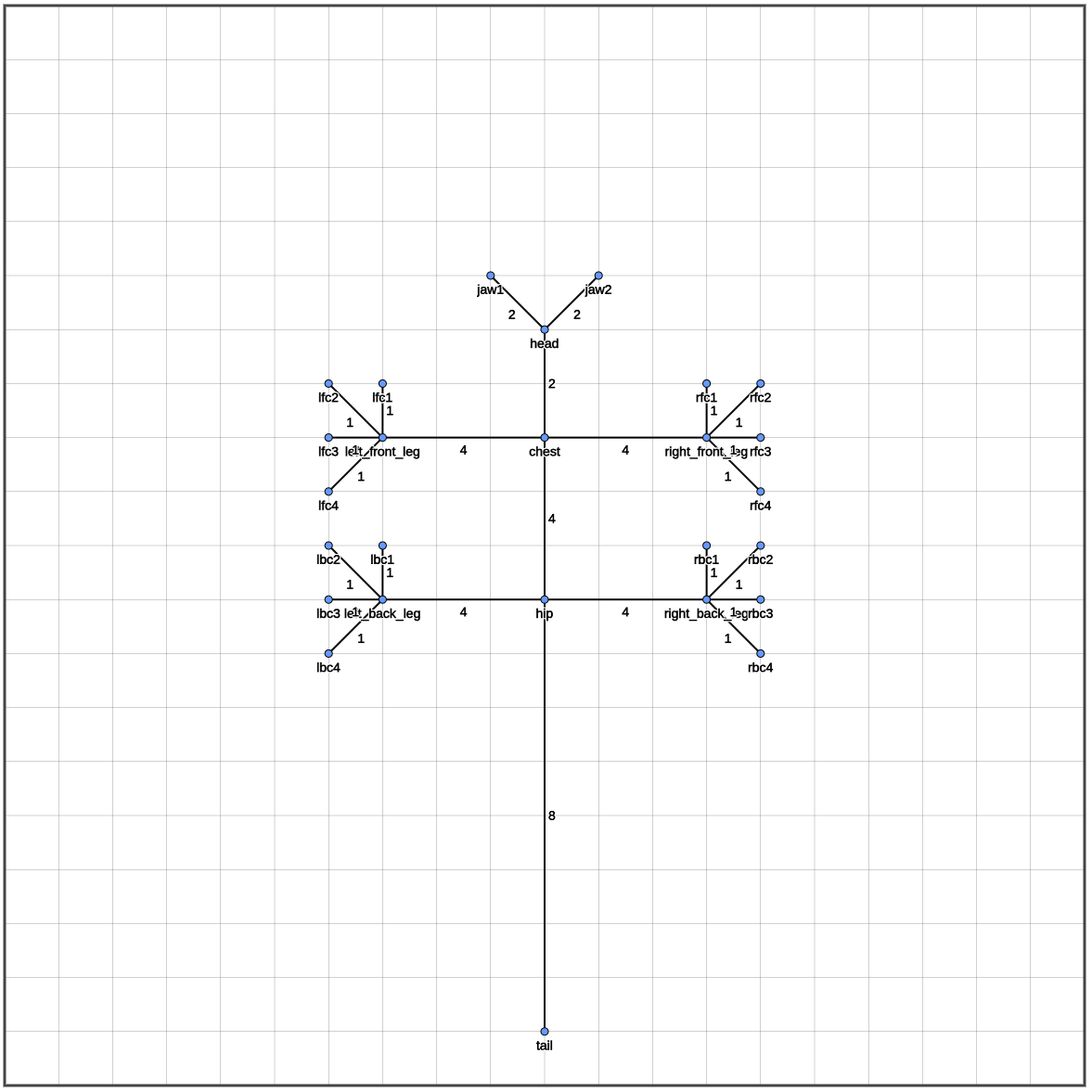
Trees are a good way to approximate the shape of many objects you may want to create or render in origami. They are points connected to other points at different distances (they're just graphs, if you've taken any CS classes). These points and lines are great to represent bodies with limbs and such, in the form of a stick figure. For example, if you wanted a lizard, you may make a tree like this:
 |
|---|
That doesn't look too much like a lizard...
Here, I'm designating points for all the extremeties of the lizard and where they attach - you have the tail, connecting to the same point as the two of the back legs, along with all the fingers/claws on each of the legs. Then, there are the distances on the edges between any of the points on the tree.
That's all well and good, but how does it help turn a square piece of paper into a lizard? Well, before we make it look like a lizard, we first need paper in the right places, and separating paper out for a limb or tail for example, at the correct length, is the fundamental question. The answer is making what's called a flap.
Functionally, a flap is a section of paper that's separated from the "body", or the rest of the paper. In the context of the lizard, you can image the tail as a large flap. One leg is a large flap, with four flaps attached representing the fingers.
For each flap, you have to plan out a circle on the paper, with a radius of the length of the flap you need. This can be reduced to a semicircle, or quarter-circle, if you're on the edge or corner. To imagine why this is necessary, think about pinching a point of paper and pulling it up - to get it one inch up, you'll need one inch of paper in every direction from that point to pull it up that amount.
Trees and flaps aren't universal solutions - not every subject can be represented with a tree, especially if you're more into geometric designs (tesselations, modular origami, or just shapes). And many other details need to be added on with other techniques. Other design techniques will not emphasize the tree. For example, many designs, like those that use the 22.5 scheme, will use a base like a bird base or blintzed frog base, and use other techniques to add on details or adjust relative sizes. Others can use techniques like level shifters to achieve tree-like structures - that's suited well to mammals.
However, for a starting point, we'll use this tree method, and we need to plan where these flaps are going to go on the paper. This is called packing.
The tree we made gives us a good mapping of what flaps we need to make this lizard - but now we need to think about where these flaps will go. This isn't just a matter of finding circles of radius 1 for each claw, though. They need to be in the right place, to create sufficient distance from other parts of the lizard. There's more to this that I don't want to spend too long on, but the short answer is that we use "rivers" to separate flaps - I think of these as "internal" flaps. I will use some figures from Arijan Arashi's website to demonstrate what I mean here - that website will give you a much more comprehensive guide to learning origami design.
 |
 |
|---|
These images are from https://abrashiorigami.com/.
The blue circles represent flaps, and you can see where they point to when the paper is folded. The green part of the paper is the "river", putting enough distance between the flaps such that the diagrammed tree is possible. Of course, these diagrams don't show all the creases necessary to collapse those circles and rectangles into a folded "tree" result. To flatten it, you essentially need to fold up the green rectangles like an accordion, and the blue circles for the flaps need to be folded such that the creases point towards the center of the flap. Determining where these creases go and how they connect is a bit beyond the scope of this article, though.
Determining where to place the flaps and rivers themselves is already a hard problem. There are different techniques for this - many designs from the 2000s will simply use circle-packing, where they figure out manually the best locations for the flaps and draw out the rivers and circles for the crease pattern. For an example, look at one of Brian Chan's beetles.
Nowadays, due to resources like Box Pleating Studio, box pleating is an increasingly popular, powerful, and easy method for packing and folding. The main draw for box pleating is the ease of using a grid - instead of having to fold between carefully chosen reference points and folding angle bisectors everywhere, you can simply use giant squares as flaps and sink on the grid lines to get flaps with the width of one grid square.
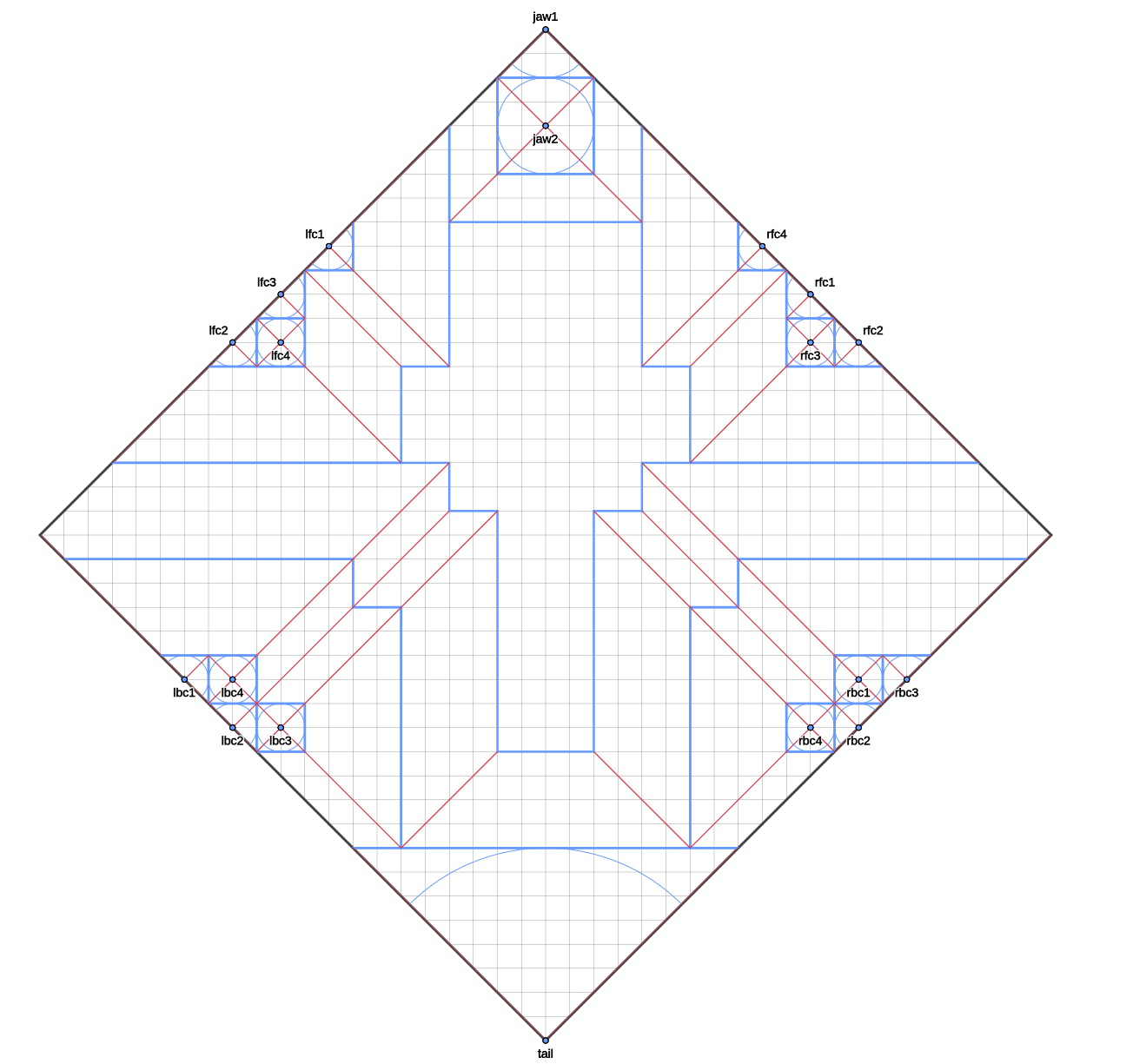
Using BP Studio, I was able to make a packing for the lizard in a couple minutes using a diagonal grid (normal grid would work as well - but I wanted the tail to be on the corner). The blue lines represent borders between rivers and flaps, and the area in the center is essentially leftover paper. There is space in there for more flaps on the head or back, actually, but we'll keep it simple for demonstration purposes. A better use for a lizard subject is probably using that space for scales or something, anyway.
 |
|---|
42 diagonal grid packing. Not using the corners isn't ideal - these could be extra flaps for whatever detail you need.
Now there is work to be done on folding the lizard base from this packing - which would require me to make a crease pattern and everything. This packing can be used to create a crease pattern. There are a lot of folds needed in between the lines provided in the packing in order to collapse the square paper into the base that looks like our original tree. For any river or flap that needs to be the width of a single grid, we need layers of folds to reduce the paper down, parallel to the length of the flap/river. We'll see what that looks like in the crease pattern I made for the beetle.
In this section, I'm going to go over the design process for this particular beetle - the white-spotted sawyer beetle. The first step is to look at our subject, and determine our tree and any other important features that need consideration.
 |
|---|
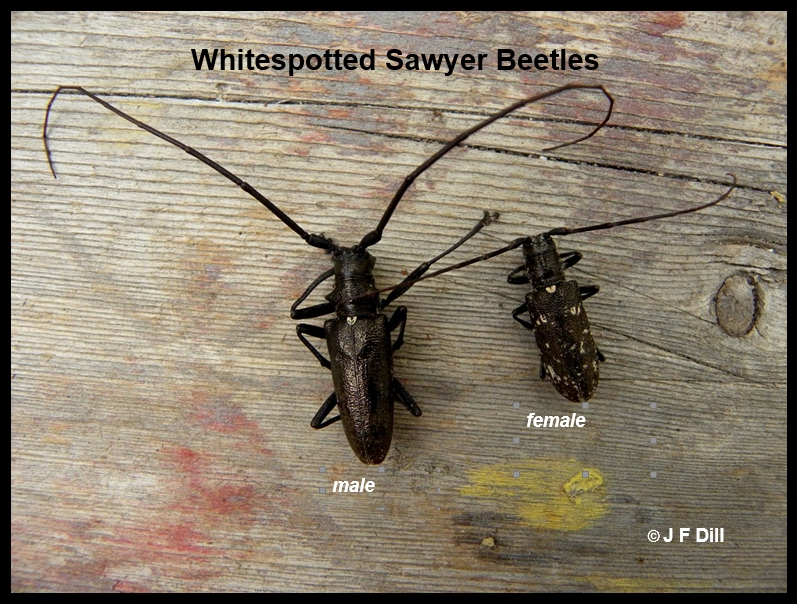 |
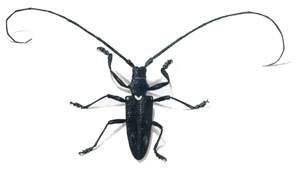
Some references to white spotted sawyer beetles I found online.
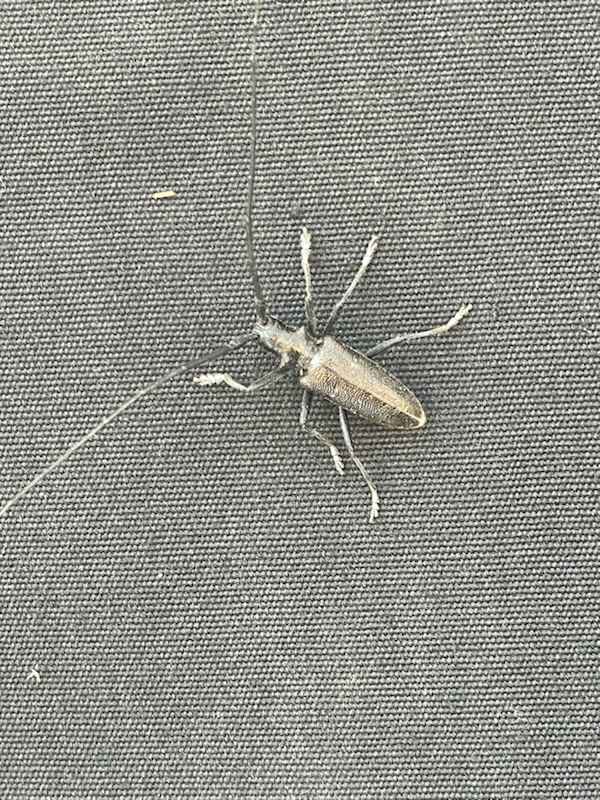
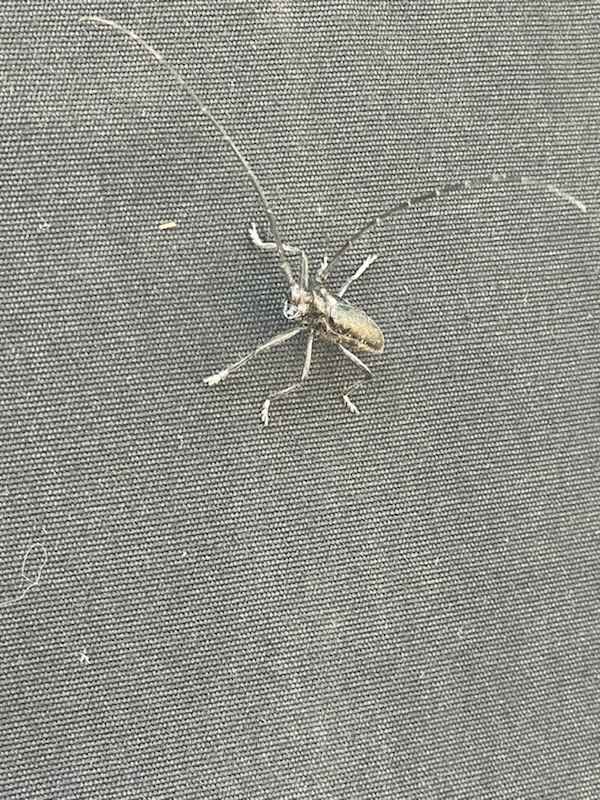
This beetle isn't anything special - it has a pretty standard body plan. I was mostly inspired by a couple photos of one that my mom sent me. It's an interesting looking bug, and I really like the long antennae.
 |
 |
|---|
I'm not sure this is actually a "white-spotted" sawyer beetle. Maybe it's a pine sawyer beetle.
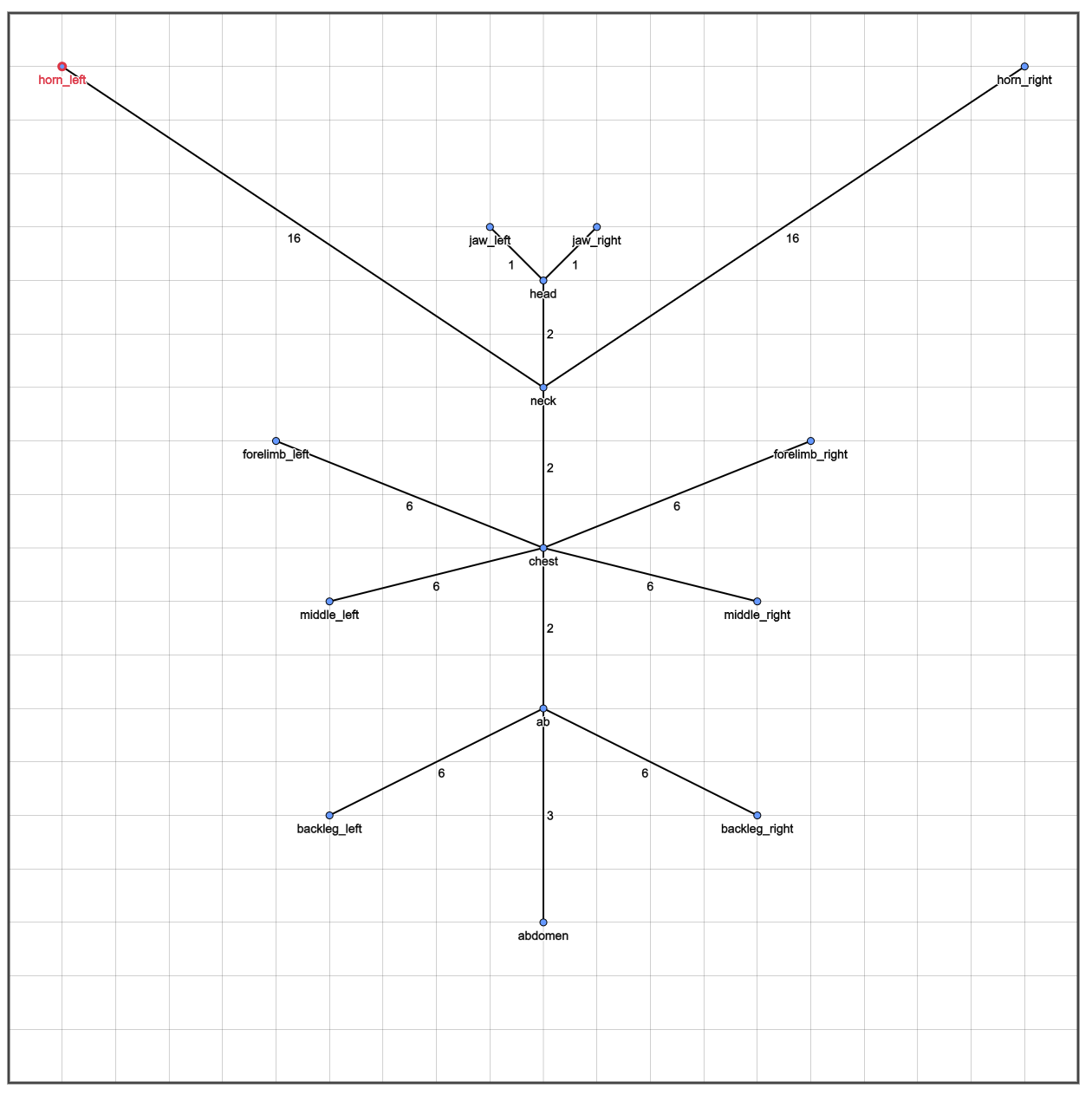
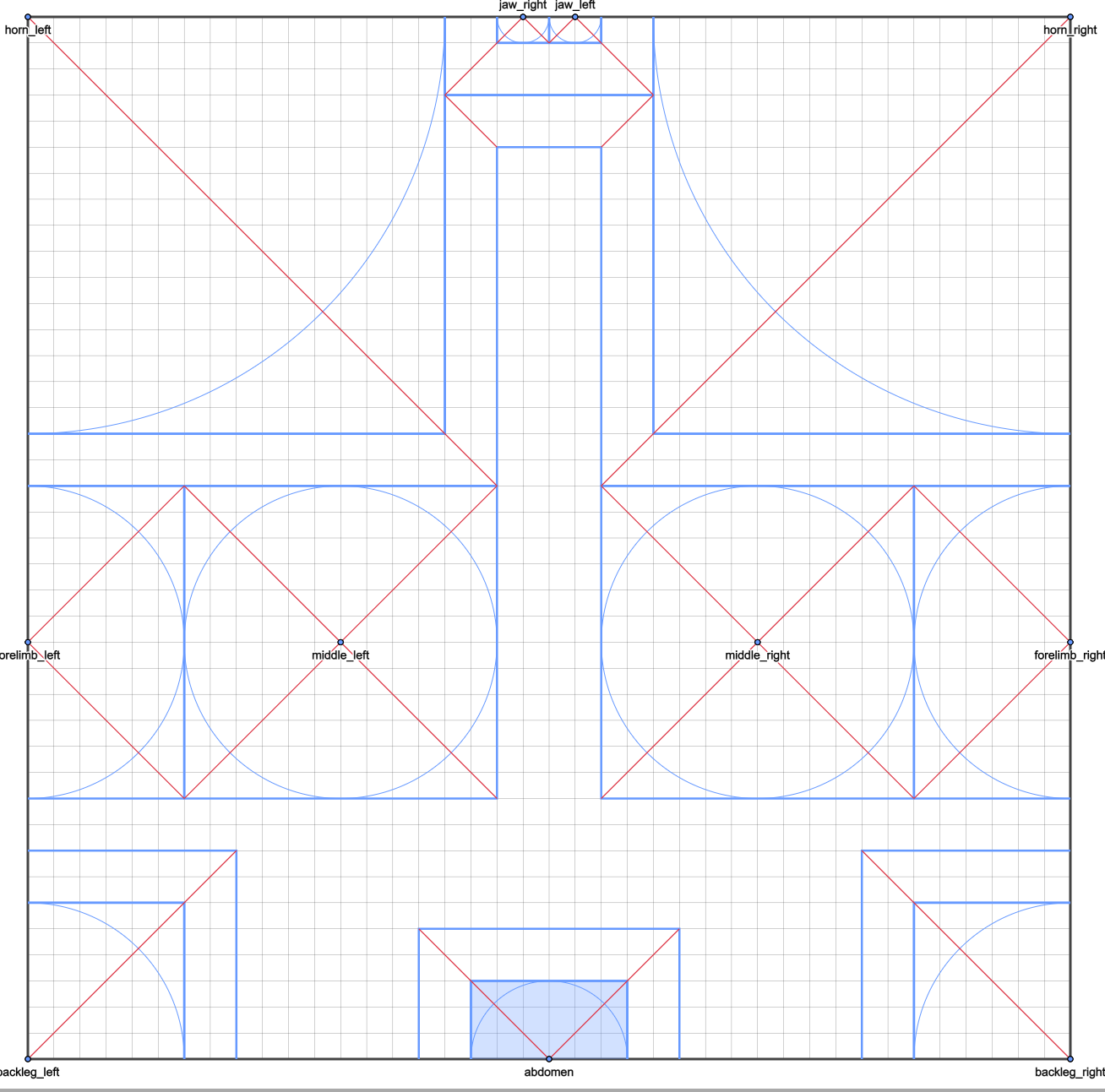
The primary features here are the long antennae (which are necessarily going to take up a large portion of the paper) and the white spot on the scutellum. The long antennaes are going to be corners, without doubt. For the white spot we just need to make sure we have enough paper for a color change. The method we use for the abdomen can account for that. Otherwise, the plan is to do some pretty standard box pleating to get the correct limb shapes and everything. So here's the tree and subsequent packing I came up with at first:
 |
 |
|---|
The final packing is a bit different, but follows the same idea. You can see how it converts into the actual crease pattern.
Now to turn this into a beetle. The crease pattern is going to diverge from the packing a bit in the abdomen area - and the back legs ended up being extended. I'll be using something similar to a "level-shifter" in order to widen out the abdoment - and it pulls paper from either side of the bottom of the paper up to the middle of the beetle. This is important, as you need an edge of the paper in order to create a color change. Some angular folds are necessary for this part in order to offset the widened part of the abdomen. The rest of the crease pattern that you see is what is necessary to "collapse" the paper into a the base - the alternating diagonal lines are diagonal folds across entire flaps, while the straight ones are resting the flap directly out. The result of folding all of these creases will be a flat base - this is algorithmically checked within Oriedita.
 |
|---|
Crease pattern! The wide double legs are a feature I'll avoid next time I make a bug.
If you didn't examine the packing too closely, see if you can figure out which parts of the pattern align to which parts of the beetle.
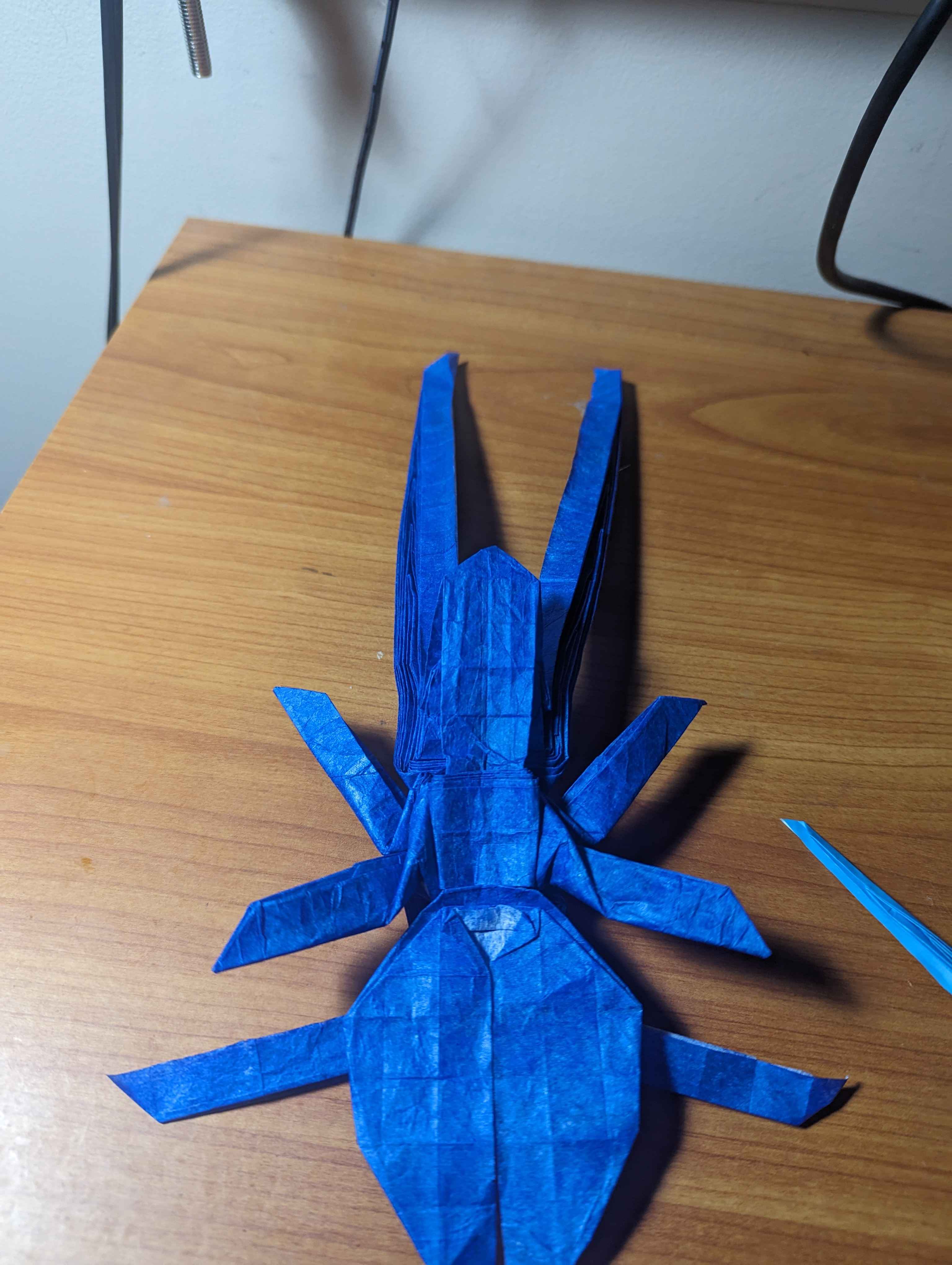
Now, we can see it converted into the base in real life:
 |
 |
|---|
The first image is the first test I did - the crease pattern was still being developed at that point, so you might notice some differences. It's also bad paper, at least for insects. The second is a test fold of the mostly finalized crease pattern using double tissue.
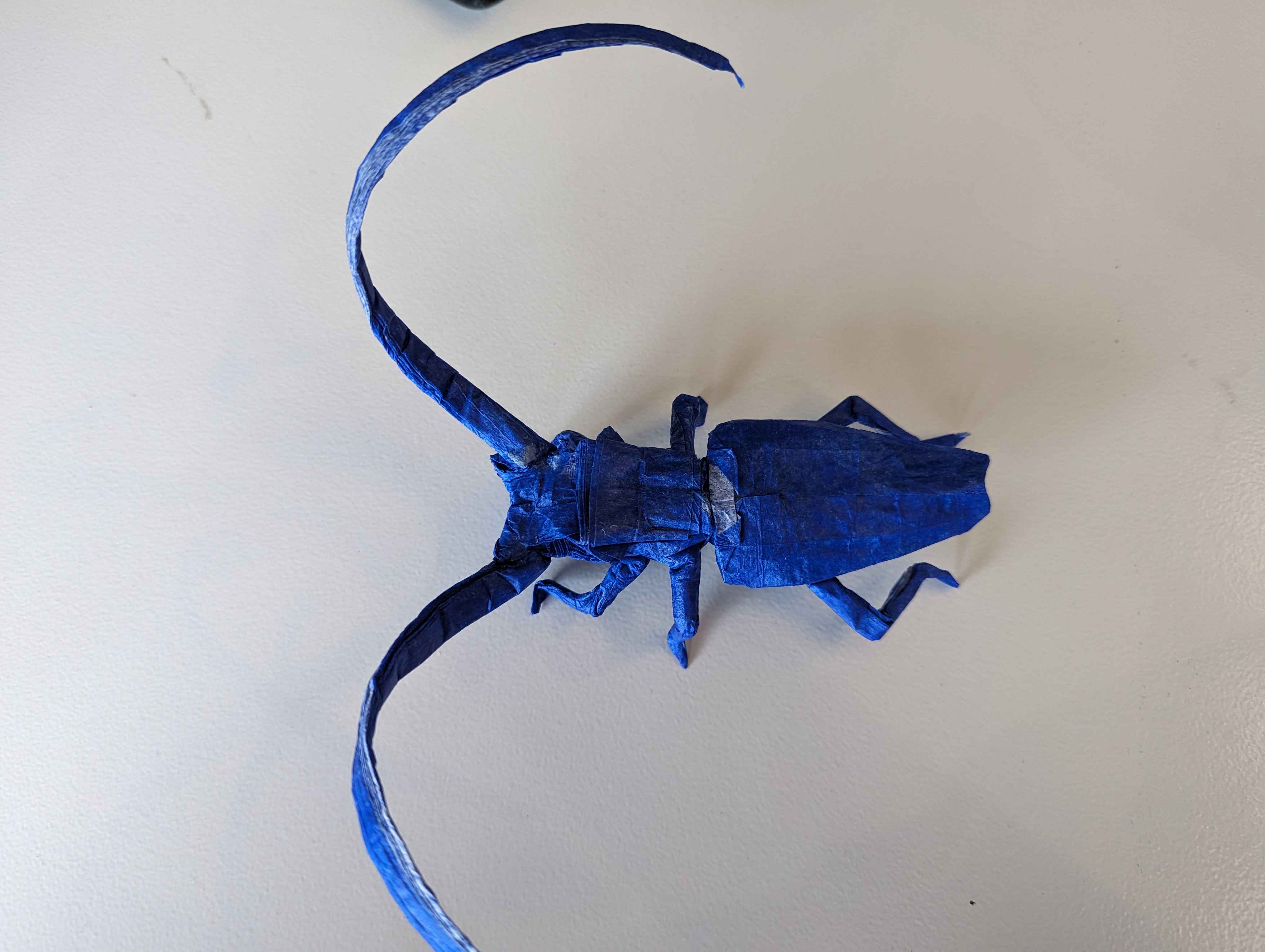
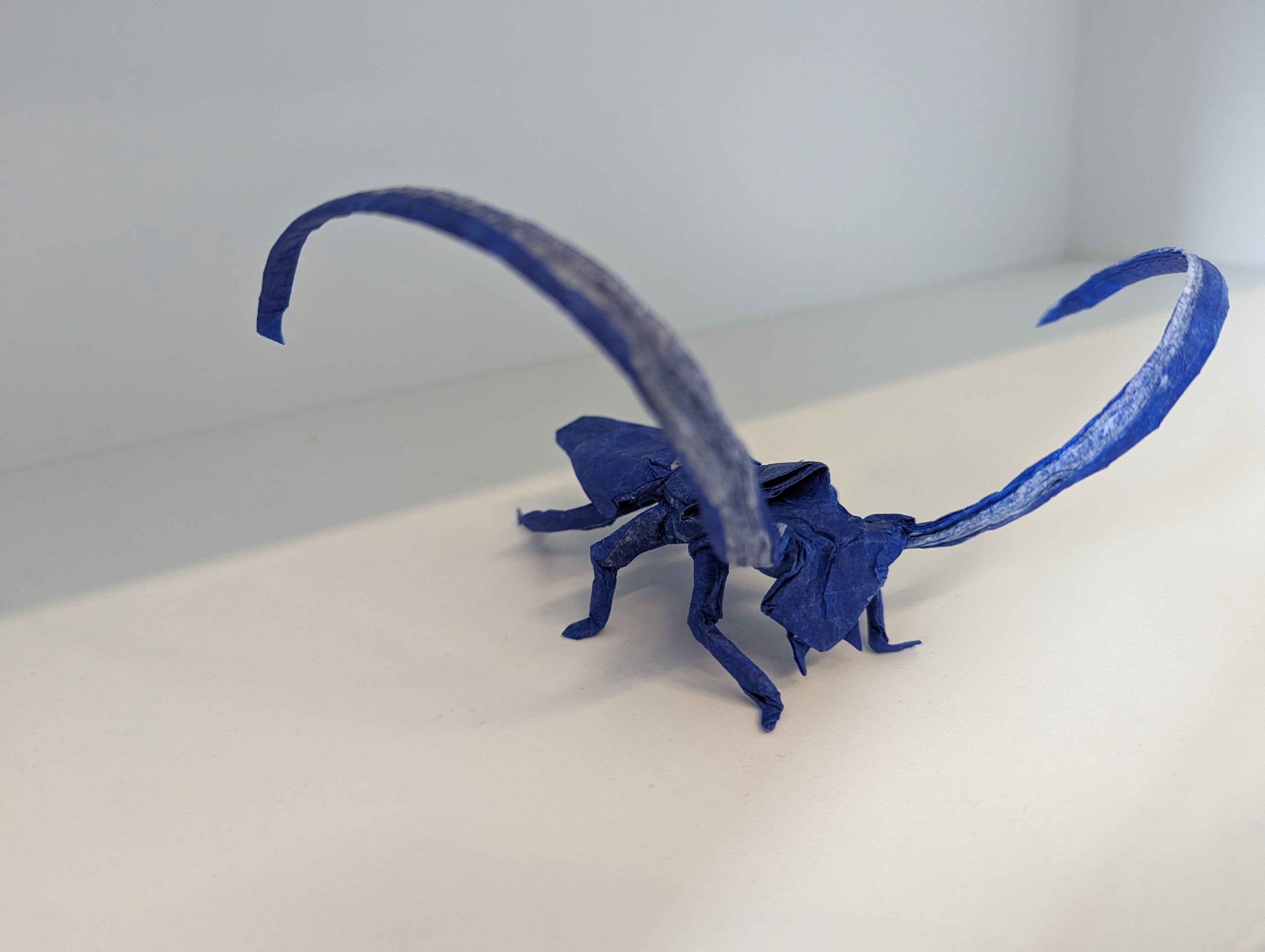
Now that we have a usable base, we can try shaping and see how it goes.
 |
 |
|---|
Test fold + shaping
And here's a test of the result, folded. I'll make a post when I make another proper fold of the beetle, with the right colors and everything. Plus some differences in shaping - I'll see if I can shrink the body and head a bit, as the legs should appear longer in comparison. This might just be something to fix in future versions, like the flying version that I'm planning.
I posted an article for the final version of this beetle here!